Randomize a List
To randomize a list, paste it below with one item per line and press Draw. This list randomizer shuffles it in your browser with the Fisher–Yates method and shows a seed next to the result. The same list and seed always give the same order, so anyone you send the link to can replay the draw and check it.
List options
Use your own seed
The same list, settings and seed always give the same result. A code such as K7Q2-9MXD-4HCZ is read in any case; other text is used exactly as typed.
Ctrl + Enter draws; R draws again when you are not typing.
Result
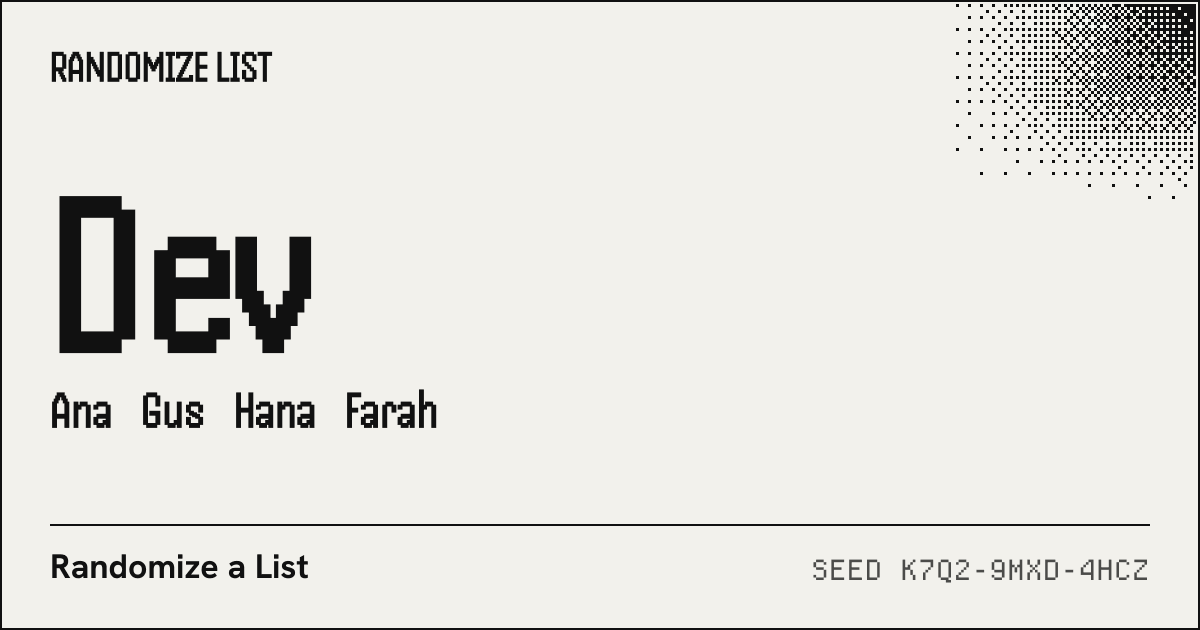
Paste a list and press Draw. The result appears here, the first name largest.
- 01 Dev
- 02 Ana
- 03 Gus
- 04 Hana
- 05 Farah
- 06 Ben
- 07 Chloe
- 08 Eli
Anyone with the link can see the list. The part after # is not sent to any server.
Recent draws on this device
How do I randomize a list?
- Paste the list into the box, one item per line. A column copied from Excel or Google Sheets, a single line separated by commas, or a .txt or .csv file opened with Open file works as well.
- Leave the mode on Shuffle for a new order of the whole list, or switch to Pick, Teams, Pairs or Order.
- Press Draw, or Ctrl+Enter (Cmd+Enter on a Mac) while typing in the box. Each press uses a new seed unless you typed your own.
- Copy the result, download it as .txt or .csv, or press Share link so others open the same draw.
Which mode do I need?
The first five modes read the same pasted list: pick the one that matches the job in front of you; the settings change, the list stays. If you came for a random list generator that makes numbers rather than reordering your own items, that has its own page, and so does shuffling inside a spreadsheet.
| Mode | Use it for | More on it |
|---|---|---|
| Shuffle | Putting a whole list in random order: quiz questions, a playlist, the order of a raffle. | This page |
| Pick | Drawing one winner, or a winner followed by alternates in the order they came out. | Random name picker |
| Teams | Splitting a class or a squad into a number of teams, or into teams of a set size. | Random team generator |
| Pairs | Study partners, or a gift exchange where nobody draws themselves and some pairs are kept apart. | This page, Pairs tab; for a gift exchange with a link per person, the Secret Santa generator |
| Order | Who presents first, second and so on, with optional start times for each slot. | This page, Order tab |
| Numbers | Whole numbers between two limits, with or without repeats. | Random number list generator |
| In a sheet | Shuffling a column without leaving Excel or Google Sheets. | Excel and Sheets guide |
Can you give me a list of random items?
When there is nothing to paste, start from a ready-made list. Each of these pages keeps a fixed list, prints all of it so you can see what may come up, and draws from it with the same seeded shuffle as this page, so its results have a seed and a share link too.
- Random letters: A to Z, only vowels or only consonants, with the NATO code word for each.
- Random animals: 222 well-known animals checked in ITIS, from mammals to insects.
- Random colors: Any of the 16,777,216 hex codes or the 148 CSS named colors.
- Random countries: 195 countries by continent, each with its flag.
- Random US states: The 50 states by Census region, Washington, D.C. on request.
- Random foods: A list of 205 foods for when nobody can decide what to eat.
What does the same list look like in each mode?
Here is the sample list of 8 names from the box above, run through every mode with the same seed, K7Q2-9MXD-4HCZ. The results were computed when this page was built, by the same code your browser runs when you press Draw, so typing that seed into “Use your own seed” reproduces each line.
- Shuffle
- Dev, Ana, Gus, Hana, Farah, Ben, Chloe, Eli
- Pick 2
- Winner: Eli; Alternate 1: Dev
- Teams of 3 or 2
- Team 1: Dev, Hana, Chloe; Team 2: Ana, Farah, Eli; Team 3: Gus, Ben
- Pairs
- Dev and Ana; Gus and Hana; Farah and Ben; Chloe and Eli
- Order with times
- 9:00 AM Dev, 9:05 AM Ana, 9:10 AM Gus, 9:15 AM Hana …
What can I paste into the list randomizer?
You rarely have to clean a list first. The box looks at what arrived and decides how to split it; the note under the box says what it did. These are the cases it handles, with the item counts the parser gives for each example.
| What you paste | Read as | Items | Note shown |
|---|---|---|---|
| A column copied from Google Sheets (three columns) | spreadsheet rows, first column | 4 | Detected 3 columns, using column 1 |
| One line of CSV with quotes | one line of CSV | 4 | — |
| One line separated by semicolons | one line of CSV | 4 | — |
| Lines with commas inside | one item per line | 3 | — |
| A .csv file with a line break inside quotes | CSV file, first column | 3 | Detected 2 columns, using column 1; The first row is kept as an item; delete it if it is a header |
A comma inside a multi-line list never splits a line, so “Smith, John” stays one person. Blank lines and stray spaces are dropped. Under “List options” you can also remove duplicates and strip numbering such as “1.” or “•” left over from a document.
How do I show a draw people can check?
When a room is watching, the result is only half of it; the other half is being able to show it was not picked by hand. Under every result sits a seed in a typeface where 0 and O cannot be confused. Share link puts the list, the settings and that seed into the address, and whoever opens it sees the same order recomputed on their own device, from the same seed and the same Fisher–Yates shuffle. For a giveaway, post the entry list first and the link after the draw, as the name picker page sets out step by step. The method, and what a seed can and cannot prove, is on how the draw works.
On a projector, the first result fills the right half of the screen and the rest step down in size, so the back row can read the name that matters. Press R to draw again without touching the mouse.
Questions about randomizing a list
Is there a way to randomize a list?
Yes. Paste the list into the box above, one item per line, and press Draw. A column copied from Excel or Google Sheets, a single line separated by commas, or a .txt or .csv file works too. Inside a spreadsheet, a helper column of =RAND() values and a sort by that column does the same job.
What is a list randomizer used for?
For any choice that should not depend on a person: calling on students, deciding who presents first, drawing giveaway winners, splitting a group into teams, matching Secret Santa partners, or putting quiz questions and playlists in a fresh order.
Are list randomizers truly random?
Most online randomizers, this one included, use a pseudorandom generator: an algorithm whose output passes statistical tests for randomness but is fully determined by its starting value. Here that starting value, the seed, comes from your browser’s cryptographic random generator and is shown with the result, which is what makes a draw repeatable. A few services sample physical noise instead.
How do I use a randomizer?
Enter the options, one per line, choose what you want back (a shuffled order, a number of winners, teams, pairs or a numbered order) and run it. Then copy or download the result, or share the link so other people see the same outcome.
Can I get the same shuffle again?
Yes. Open “Use your own seed”, type the seed shown under the result, and draw again with the same list and settings: the order repeats exactly. Opening a share link does this for you.